I absolutely love stickers. Yes, I am a grown woman child who loves stickers! You know, among other things like cartoons, coloring and crafts in general. Knowing this, I wanted to make sure I had the best print and cut sticker paper to make this happen.
Why Stickers?
I put stickers in my planner, stickers as reminders, and stickers for motivation, encouragement, Jar lids, decorate composition notebooks and even as rewards.
After so got my Cricut, learned all of the ins and outs of it. I got brave enough to try making stickers. It is SO easy, let me tell you, please DO NOT let it intimidate you. So easy that I am constantly making them now for one reason or another. Like these Homemade jam jar lids
After some research reading reviews and getting some personal experience stories from a few people. I decided to NOT try the Cricut brand sticker paper. From what I heard once made the stickers are too thick to actually stick properly on anything because they don’t have any give to them.
Best print and cut sticker paper
After hearing that, there were just too many different recommendations for print and cut sticker paper to go with. So, I took to Amazon to decide for myself. When looking up sticker paper on Amazon, something a little different popped up. Shipping label sticker paper. The reviews were great and people even mentioned using it for print and cut stickers! I was so excited when I found it and since it was so affordable, I ordered immediately.
The longest two days ever passed, and my box of 100 sheets of shipping label paper arrived. To describe it I’d say it’s thin, very sticky, good quality and absolutely perfect to make stickers with. It definitely did not disappoint.
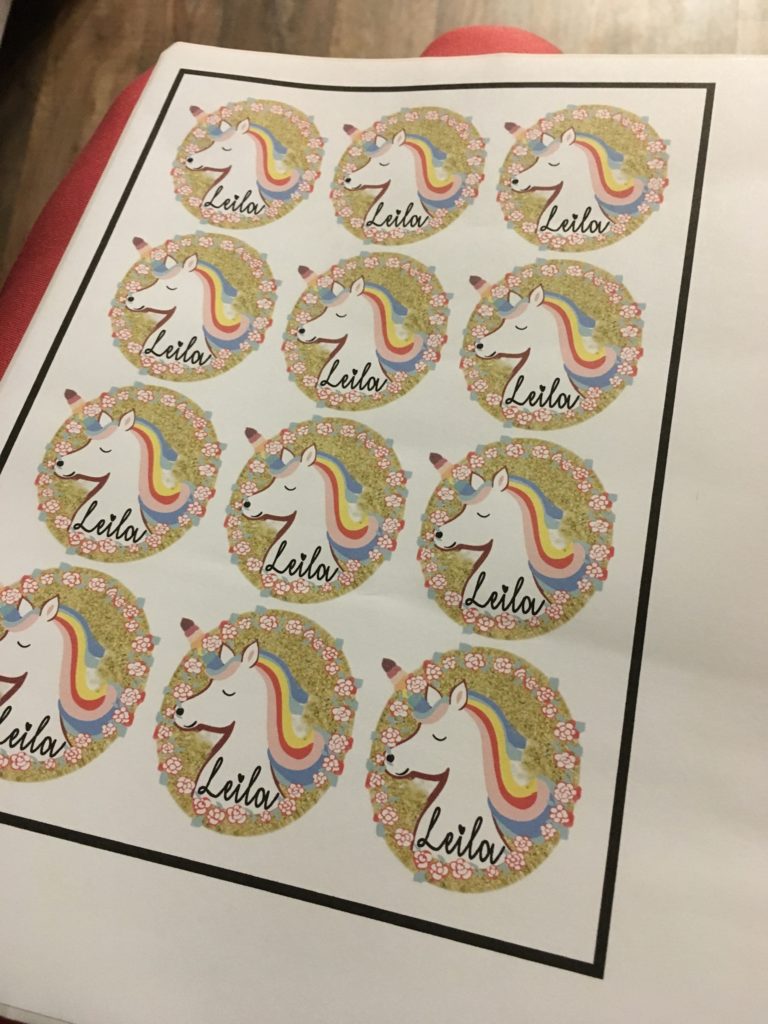
I started off just making stickers for my kids with their names on them. Alligators for Jensen, koalas for Hawk and Unicorns for my Leila. To say they were a hit would be an understatement! I am still finding their stickers on random things from when I first made them.
Printer
When making stickers, make sure that you have a Great Inkjet Printer to work with. Not all printers have the capacity to push out paper as thick as sicker paper, even though this particular stuff is not all that thick.
How to make print and cut stickers
To make a sticker with your Cricut you’ll finish in just a few simple steps
- pick your cut shape
- choose your SVG or PNG design and fit it into cut shape
- add text if desired
- select all elements and ‘flatten’ them
- duplicate to add make 10-20 per sheet
What cut Setting for this print and cut sticker paper?
With this sticker paper I use the Cricut setting “paper -” It took a lot of trial and error to get my Cricut blade to cut correctly. Since the paper is on the thinner side it proved to be a struggle at first. This is the setting that worked for me. If this setting does not work for you try messing around with it before you start a big project!
Cant figure out what to make first? Check out these SVG Subscription Plans that include thousands of SVGs for a great price. A subscription is the best way to go if you do a ton of crafting. But if that isn’t your cup of tea, check out these Free Commercial Use SVGs or these Free Commercial Use Fonts to get the inspiration flowing.
Good Morning Chaos is a participant in the Amazon Services LLC Associates Program, Creative Fabrica, Digitanza, Font Bundles and So Fontsy. Affiliate advertising programs designed to provide a means for sites to earn advertising fees by advertising and linking to goodmorningchaos.com